(
)
The Shopify Checkout 'Leak': Why You're Losing Sales at the Finish Line
Your Shopify store is bleeding money, and you probably don't even know it.
You've nailed your product photography. Your homepage converts like crazy. Your email campaigns are getting clicks. But somewhere between "Add to Cart" and "Thank You for Your Order," customers are vanishing into thin air, taking their credit cards with them.
Welcome to the checkout leak. It's costing you thousands in revenue every single month.
What Exactly Is a Checkout Leak?
Think of your checkout process like a bucket. Every friction point, every confusing field, every unnecessary step is a hole in that bucket. Sure, you're pouring traffic in at the top, but by the time it reaches the bottom (completed purchase), half of it has leaked out.
The worst part? Most ecommerce founders assume their checkout is "fine" because Shopify built it. But here's the reality: the average cart abandonment rate hovers around 70%, and a massive chunk of that happens during checkout.
Those aren't just anonymous visitors, these are people who wanted to buy from you. They picked products. They clicked "checkout." They were this close to handing you money.
And then they left.

The Most Expensive Second of Your Business
Let's start with the leak that hurts the most: page speed.
Every single second of delay at checkout costs you approximately 7% in conversions. During the actual checkout phase, that impact doubles. Translation: if your checkout takes 3 seconds to load instead of 1 second, you're losing 28% of potential sales before anyone even sees a form field.
Your customers are standing there, credit card in hand, watching a loading spinner. That's when the doubt creeps in. "Do I really need this?" "Maybe I should check Amazon first." "I'll come back later."
Spoiler: they won't come back later.
The fix usually takes a few hours. The ROI is immediate.
The Form Field Money Pit
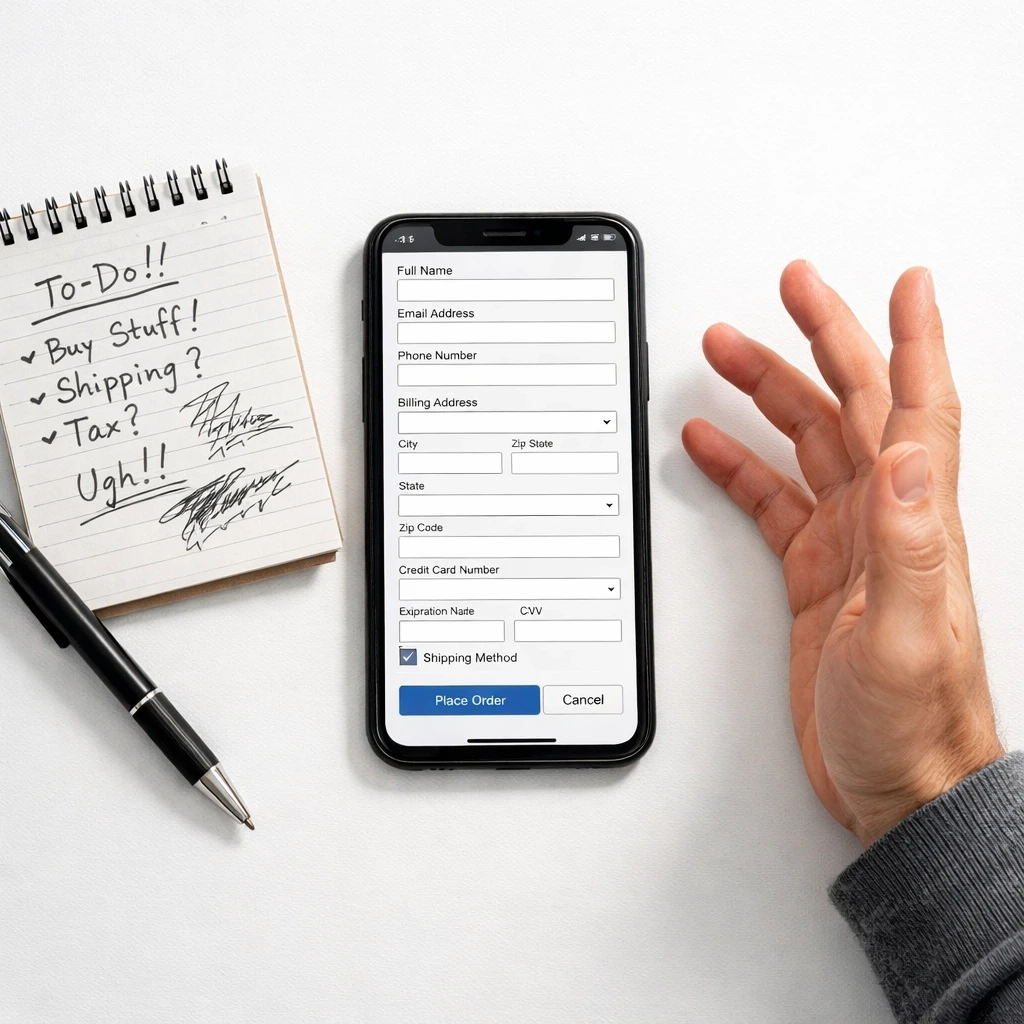
Here's where it gets painful: every unnecessary form field is a conversion killer.
We recently audited a fashion retailer who was asking for customers' phone numbers, company names, and "How did you hear about us?" at checkout. Their conversion rate was 1.8%. We stripped it down to essential fields only.
New conversion rate: 2.9%.
That's a 61% increase in completed orders, from removing four fields.
Your checkout form isn't a customer survey. It's not a networking event. Every field you add creates friction, decision fatigue, and gives customers another reason to bail. If you don't absolutely need it to fulfill the order, delete it.
Common form friction we see constantly:
Requiring separate billing and shipping addresses when they're the same
Asking for information Shopify can auto-fill
Splitting fields unnecessarily (separate boxes for first/last name)
Not supporting address autocomplete
Making users manually select their country from a dropdown
Each one of these is a tiny leak. Combined, they're a flood.
The Mobile Checkout Disaster
Over 50% of your transactions are happening on mobile devices right now. Let me guess, your checkout looks great on your laptop, right?
Now pull it up on your phone. Actually do it. I'll wait.
What do you see? Tiny buttons that require surgical precision to tap? Text fields that auto-zoom and make the page jump around? A layout that requires horizontal scrolling?
Mobile checkout leaks we identify constantly:
Buttons too small to tap accurately on a phone screen
Forms that don't trigger the correct mobile keyboard (numeric keyboard for phone/zip code)
Missing mobile wallet options (Apple Pay, Google Pay)
Checkout requiring pinch-and-zoom to read fine print
Multi-column layouts that break on smaller screens
The Account Creation Ambush
Nothing kills checkout momentum faster than surprise account creation.
Your customer is ready to buy. They've made it to checkout. Then suddenly: "Create an account to continue." Password requirements. Email verification. Account setup.
You just added 5-10 minutes to a process that should take 90 seconds.
Guest checkout isn't optional, it's essential. Every ecommerce store we audit that forces account creation sees conversion rates 20-30% lower than competitors who offer guest checkout.
Yes, you want customer accounts for email marketing. Yes, repeat purchase data is valuable. But you know what's more valuable? Actually completing the first sale.
Offer guest checkout. Make account creation optional after purchase. Let customers buy first, commit later.
The Payment Method Problem
Your customer has money. They want to give it to you. But you only accept the payment method they don't have readily available.
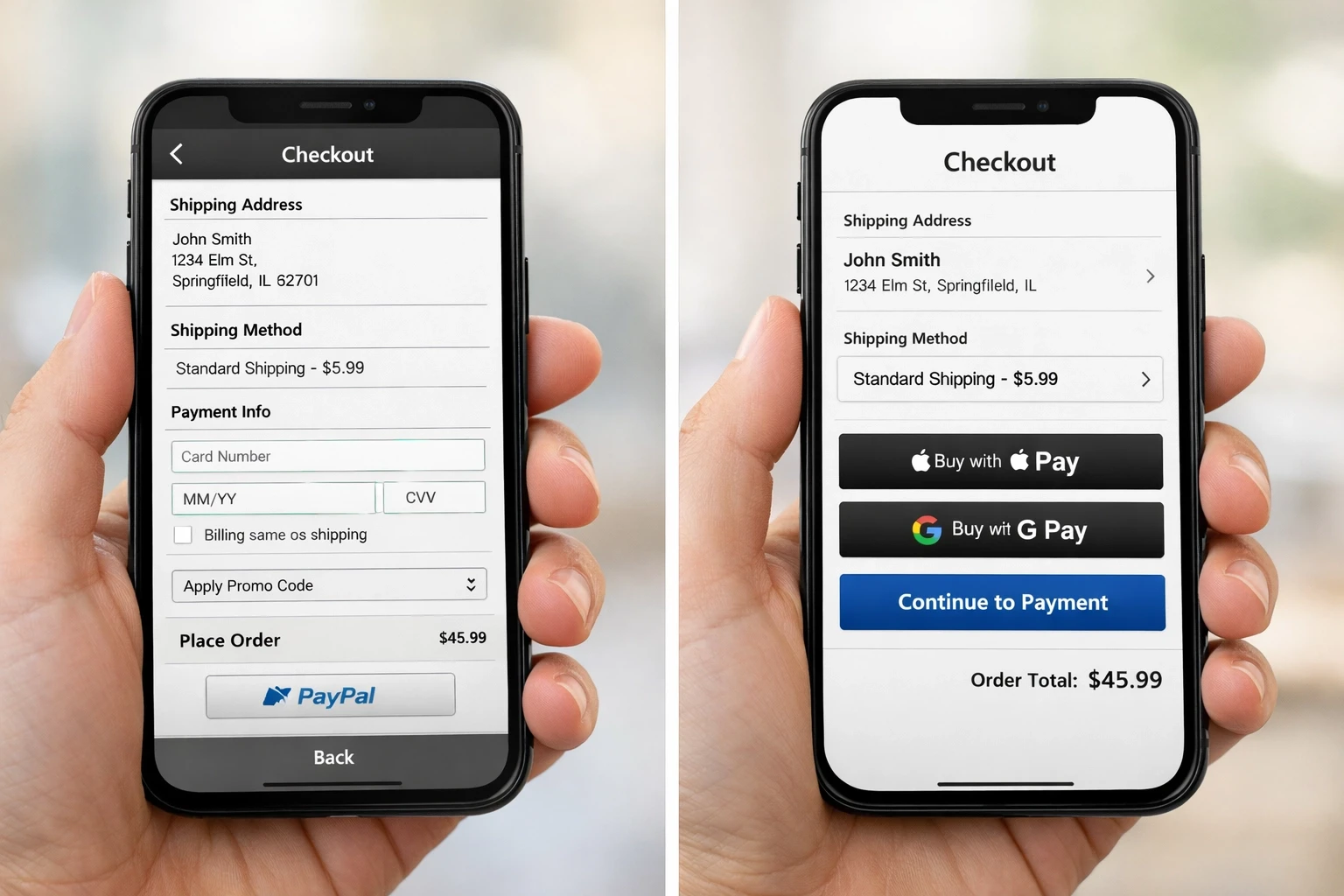
We see this constantly: stores that don't offer PayPal, don't integrate Shop Pay, or skip mobile wallets entirely. Every missing payment option is a segment of customers who will abandon rather than pull out a physical credit card.
The payment methods you need:
Credit/debit cards (obviously)
PayPal or similar digital wallets
Shop Pay for faster Shopify checkout
Apple Pay for iOS users
Google Pay for Android users
Buy Now, Pay Later options (Afterpay, Klarna, Affirm)
Example: A beauty brand we worked with added Apple Pay and Google Pay to their checkout. Same traffic. Same products. Same pricing. Conversion rate jumped from 2.1% to 2.7% in the first month. That's a 28.5% increase just from offering express payment options.
The best part? These integrations take minutes to set up in Shopify.
The Mystery Journey Checkout
Your customer is moving through checkout. Are they on step 2 of 3? Step 3 of 5? Are they almost done or just getting started?
They have no idea.
Without clear progress indicators, customers get frustrated. They feel lost. They don't know how much longer this will take. And when they see yet another page of forms after what they thought was the final step?
They close the tab.
Progress indicators aren't just nice-to-have UI elements: they reduce abandonment. When customers can see exactly where they are in the process and how many steps remain, completion rates increase by double digits.
How DEUX Labs Finds Your Specific Leaks
Here's where most agencies wave their hands and say "we'll optimize your checkout." Cool. But how?
At DEUX Labs, we use a combination of UX audits and behavioral data analysis to identify your exact leak points:
Session Recording Analysis: We watch real customers attempt to checkout. Where do they pause? Where do they backtrack? Where do they rage-click? These behaviors tell us exactly where friction exists.
Heatmap Data: We map where customers are clicking, how far they're scrolling, and which elements they're ignoring completely. Often, critical checkout elements are being missed entirely.
Form Analytics: We track every form field to see where customers drop off, which fields take the longest to complete, and where error messages appear most frequently.
Device-Specific Testing: We audit your checkout on multiple devices, screen sizes, and browsers. A checkout that works perfectly on desktop Chrome might be completely broken on mobile Safari.
Speed Testing Under Load: We measure your checkout performance under realistic traffic conditions, not just in a testing environment.
This isn't guesswork. This is data-driven Shopify conversion rate optimization that identifies the specific leaks costing your store money.
The Real Cost of Small Leaks
Let's do some math.
Say your store gets 10,000 monthly visitors. Your current conversion rate is 2% (200 orders). Average order value is $100. That's $20,000 in monthly revenue.
Now, let's say you have three "small" leaks in your checkout:
Slow load time costing you 7% of conversions
Unnecessary form fields costing you 10% of conversions
Missing mobile wallet options costing you 5% of conversions
You're not losing 22% of conversions (7+10+5). These leaks compound. You're losing closer to 20% of your potential revenue: that's $4,000 monthly. $48,000 annually.
From "small" leaks.
This is why we obsess over checkout optimization. The ROI is enormous and immediate.

Getting Started: Stop the Bleeding
You don't need a complete checkout overhaul tomorrow. Start with these high-impact fixes:
Audit your checkout speed: Use Google PageSpeed Insights on your checkout pages. Aim for load times under 2 seconds. Compress images, minimize scripts, optimize for mobile first.
Strip unnecessary form fields: Go through every field in your checkout. If you can't justify why it's absolutely essential to fulfill the order, delete it. When in doubt, cut it out.
Enable guest checkout: Make account creation optional. Let customers complete their purchase first, then offer account benefits on the thank-you page.
Add express payment options: Enable Shop Pay, Apple Pay, and Google Pay in your Shopify settings. These take 5 minutes to activate and can boost conversions by 20%+.
Test on real mobile devices: Don't just resize your browser. Pull up your checkout on an actual iPhone and Android device. Tap every button. Fill out every field. Experience what your customers experience.
Set up session recordings: Install Hotjar, Microsoft Clarity, or similar tools to watch real customer sessions. You'll spot friction points you never knew existed.
The stores winning at ecommerce in 2026 aren't the ones with the biggest ad budgets. They're the ones who've plugged every leak in their checkout process.
Your customers are ready to buy. Make it effortless for them to hand you their money.
More Insights
Explore ideas, tips, and trends to elevate your brand.